
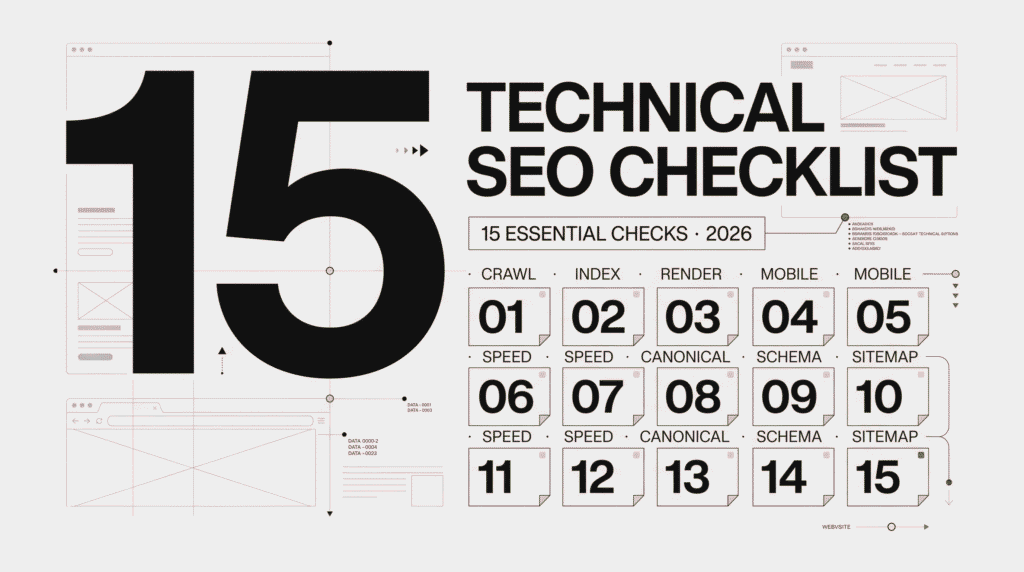
A technical SEO checklist helps you identify issues that can prevent search engines from properly crawling, indexing, rendering, and understanding your website. Even if your site has strong content, backlinks, and keywords, technical SEO problems can limit its visibility in search results. In 2026, a technical SEO checklist should cover mobile-first indexing, Core Web Vitals, structured data, JavaScript rendering, website structure, and more.
We’ve compiled a list of 15 key things you’ll want to examine when doing a technical SEO audit.
Technical SEO is the SEO concerned with the improvement of the website’s infrastructure to ensure it can be properly accessed and indexed by search engines. Where on-page SEO focuses on optimizing a website’s content, keywords, headings, and search intent, technical SEO optimizes the way a website functions.
In general:
First, to ensure the website is properly indexed and visible in SERPs, it needs to be accessible to search engine bots. Therefore, you should verify that major pages are accessible to search engine crawlers and are not blocked by:
Use the crawl reports from Google Search Console and SEO crawlers in order to get clear view of website’s crawl errors. Just because robots.txt prevents crawling doesn’t necessarily means the pages won’t be indexed, but it means the content will remain absent from the search result pages.
Next, indexability determines whether your pages can appear in the SERPs after search engine crawlers access them.
In particular, key factors include:
To check the indexability status of a page, you can use the URL Inspection tool in Google Search Console (GSC). For example, you may encounter statuses such as:
If you see any of these statuses on valuable or priority pages, the underlying issue should be investigated and fixed promptly.
Additionally, an XML sitemap helps search engines discover the relevant pages on your website.
Ideally, it should include only canonical and indexable URLs that you want search engines to discover. At the same time, make sure it does not contain deleted, broken, redirected, or excluded URLs.
Furthermore, submit your XML sitemap through Google Search Console (GSC) and monitor it for errors.
However, keep in mind that a sitemap helps search engines discover your content, but it does not guarantee that every URL will be crawled or indexed.
The robots.txt file contains rules that tell search engine bots which parts of your website they can and cannot crawl.
First, make sure you are not disallowing important pages or directories that search engines need to access.
Additionally, check that there are no conflicts between your robots.txt rules and your XML sitemap directives.
However, avoid using robots.txt as a way to prevent important pages from being indexed. A Disallow directive primarily prevents crawling, but it does not reliably guarantee that a URL will never appear in search results.
Therefore, use appropriate indexing directives, such as noindex, when you need to control whether a page should be indexed.
Additionally, ensure that all pages on your website are served over HTTPS. Security is important for both users and search engines.
Next, check whether your internal links, canonical tags, and XML sitemap use HTTPS URLs. You should also make sure that HTTP versions of your pages redirect correctly to their HTTPS versions.
Furthermore, check for mixed-content issues, where secure HTTPS pages load resources such as images, scripts, or stylesheets through HTTP.
Finally, make sure your homepage and other important internal pages consistently use HTTPS.
Because Google uses a mobile-first indexing approach, it is important to ensure that mobile users can access the same important content and structured data available on the desktop version of your website.
In particular, check the following elements:
Additionally, make sure important content is not hidden or significantly altered on mobile devices.
Finally, test your key landing pages on real mobile devices rather than relying only on desktop testing.
Next, monitor Core Web Vitals to evaluate important aspects of your website’s user experience. The three key metrics are LCP (Largest Contentful Paint), INP (Interaction to Next Paint), and CLS (Cumulative Layout Shift).
For example, large images, render-blocking resources, slow server response times, and layout shifts can affect page performance.
Therefore, identify and fix elements that make your pages slow or cause content to shift unexpectedly.
Additionally, use Google Search Console and tools such as Google PageSpeed Insights to monitor your Core Web Vitals over time.
However, passing Core Web Vitals thresholds does not automatically improve your rankings. Good Core Web Vitals contribute to a better user experience, but they are only one part of overall SEO performance.
Next, check your website for broken links and 404 errors, as they can create a poor user experience and make navigation more difficult.
For example, an important page may contain a link to a deleted or unavailable URL. Therefore, make sure important pages do not link to broken or outdated destinations.
Additionally, review your website’s navigation to ensure that users can easily find the pages they need.
However, not every 404 page is necessarily a technical problem. Some URLs may genuinely no longer exist. Instead, focus on fixing broken links and 404 errors that affect important pages or valuable user journeys.
As a result, regularly checking broken links can help maintain a smoother website experience and prevent avoidable navigation issues.
Next, regularly audit your website’s redirects to identify redirect chains, redirect loops, and other errors that can interfere with URL changes.
For example, if a URL redirects to another URL that then redirects to a third URL, you have a redirect chain. Therefore, simplify the setup by directing the original URL straight to the final destination whenever possible.
Additionally, make sure your internal links point directly to the final URL instead of linking to a redirected page.
Furthermore, use a 301 redirect when permanently moving a page to a new URL. This way, users and search engines are directed to the correct destination without unnecessary intermediate redirects.
Canonical tag (rel=”canonical”) helps search engines identify which is the canonical URL on your website to show for the particular page contents.
This type of tag helps to manage if your content is available through more than one URL. The same should be true for internal links, canonical tag URLs, and sitemaps.
Check if there is any:
This is an indication, not instruction, so search engine may not show the canonical URL.
URLs should be descriptive, easy to understand and easy for the audience and the search engine to interact with. For example, [example.com/technical-seo-checklist](https://example.com/technical-seo-checklist) is significantly more descriptive and user friendly than [example.com/pageid=2847](https://example.com/pageid=2847).
The URLs for this section should incorporate descriptive words, hyphenated words and avoid the use of unnecessary characters or long folder structures.
Although, changing old URLs should not be done without caution, as it create redirect and may have the SEO effect impact.
Search engines consider your internal linking structure to determine relevance and discover new content.
You should:
Structured data (also known as schema mark-up) allows the search engines to better understand your webpage content.
Common types of structured data include: Organization, LocalBusiness, Product, Event, Recipe, and Review schema. Make sure that schema code is accurately mapped to actual visible page content and adheres to the schema.org Guidelines. Google recently deprecated their FAQ rich results for general sites, so check their documentation before implementing for specific search features.
JavaScript enables dynamic content to be displayed in browsers.
Google can read and render JavaScript, but it’s best to ensure your key content, links, and structured data are still accessible via the HTML first. If important content depends entirely on JavaScript rendering, then you’ll want to ensure the rendering process supports SEO best practices. It’s not JavaScript itself that’s “bad” for SEO.
Technical issues don’t always go away after fixes or audits. They can crop up following redesigns, platform migrations, plugin updates, and other common web changes.
Regularly monitoring your website for:
will help you catch any new issues before they impact your rankings. If you’re managing a larger or frequently updated website, more frequent monitoring might be necessary.
| # | Item | Focus |
| 1 | Crawlability | Blocked Pages |
| 2 | Indexability | Noindex Issues |
| 3 | XML Sitemap | Important Pages |
| 4 | robots.txt | Crawl Restrictions |
| 5 | HTTPS | Secure Pages |
| 6 | Mobile SEO | Page usability on Mobile Devices |
| 7 | Core Web Vitals | Page Performance & User Experience |
| 8 | Broken links & 404s | 404 errors |
| 9 | Redirects | Chains and loops |
| 10 | Canonicals | Preferred URLs |
| 11 | URL structure | Clear URLs |
| 12 | Internal links | Content Discovery and User Navigation |
| 13 | Structured data | Relevant schema for page content |
| 14 | JavaScript | JavaScript Renderability |
| 15 | Monitoring | Technical Issues on Site |
A technical SEO checklist is a set of parameters that need to be checked for identifying issues with a website’s crawlability, indexability, performance, structure, and overall search engine accessibility.
The is no “single” most important technical SEO factor, as it all depends on the context and the website. However, start with crawlability, indexability, mobile-friendliness, Core Web Vitals, internal linking, and canonicalization.
There is no strict guideline. For smaller sites, a periodical audit may suffice. For larger and frequently updated sites, a more frequent review is necessary.
Although, technical SEOs help search engines to effectively crawl and index your website but it does not guarantee to help you gain top position in SERPs. It is just an additional factor.
If you have a large website or your site doesn’t have many internal links, An XML sitemap may certainly help the search engine find all your content. But even with an XML sitemap, there is no assurance that your content will be indexed or found by every search engine.
If you are also considering paid search alongside your SEO strategy, our guide to Google Ads pricing in 2026 explains the factors that influence advertising costs.