
Your website is often the first place potential customers go when they want to learn more about your digital marketing. If you’re working with landing pages, optimizing website content, or web developers, knowing the difference between HTML and CSS will help you communicate better and run your campaigns more smoothly.
A lot of marketing experts use these terms when they work on SEO, landing page optimization, or website design. But what do they truly mean?
What is HTML?
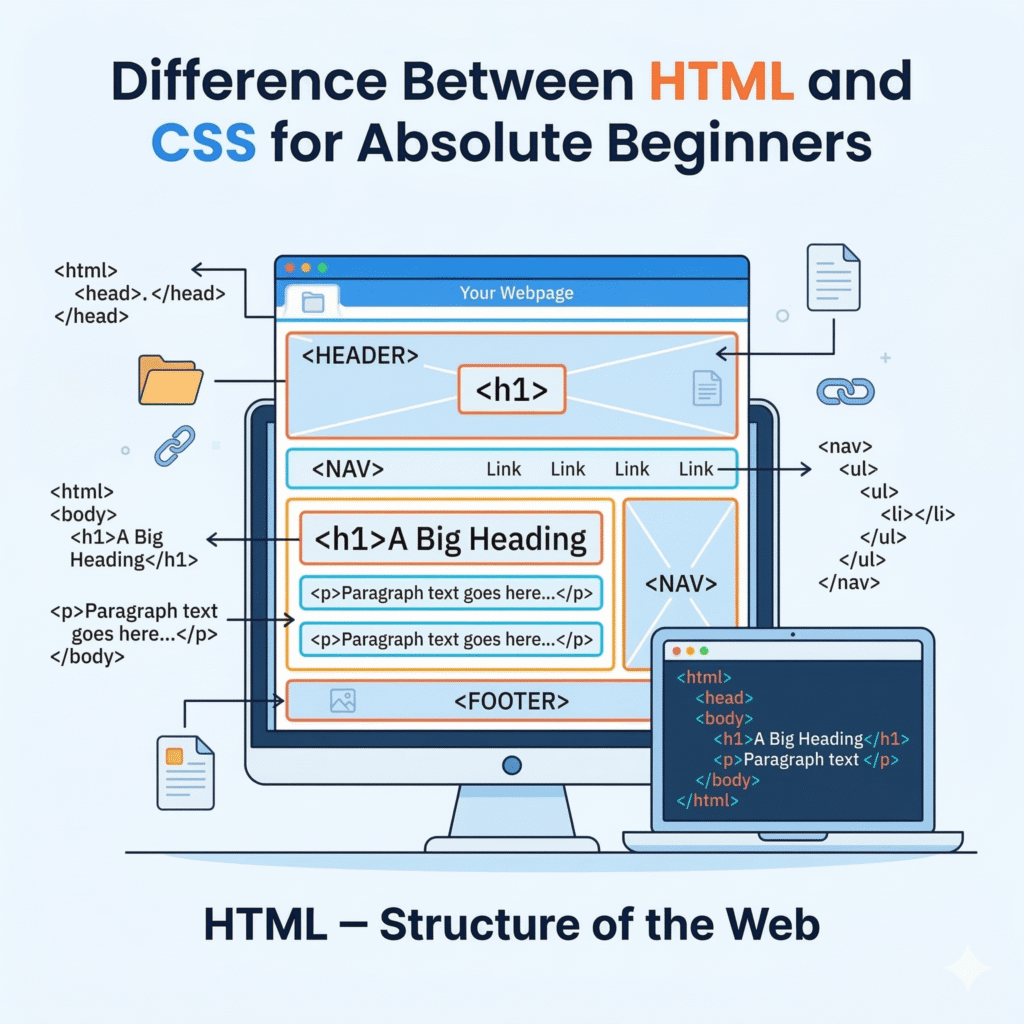
HTML stands for HyperText Markup Language, and it’s the foundation of every webpage on the internet. When a developer builds a page, HTML is what tells the browser what content to show and how to organize it. It handles all the structural elements: headings, paragraphs, images, links, buttons, forms, and videos. Every piece of content you see on a webpage exists because HTML told the browser to put it there.
What is CSS?
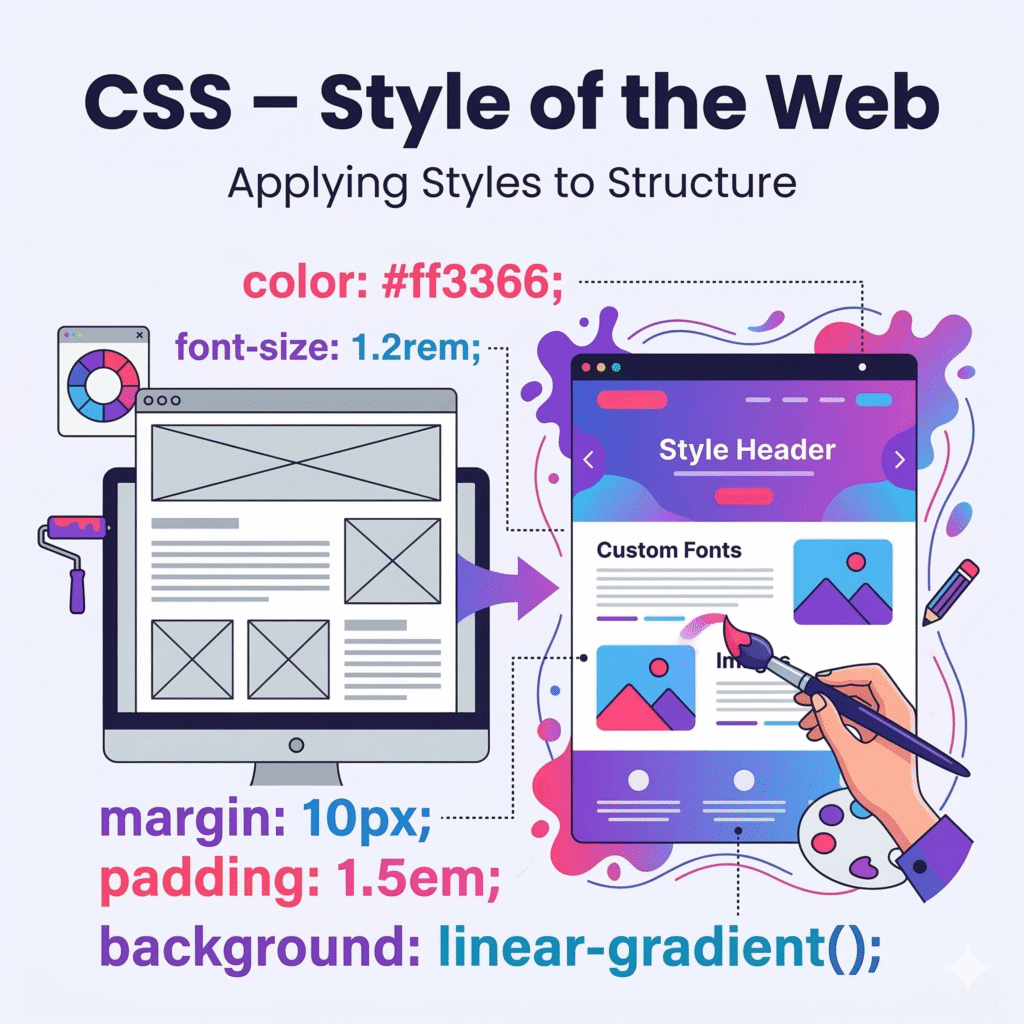
CSS stands for Cascading Style Sheets, and it’s what makes a webpage look the way it does. Once HTML has set up the structure of the content, the headings, and the layout, CSS comes in and handles all the visual decisions. Font sizes, colors, spacing, alignment, background images, button styles, and how the page responds on a mobile screen all of that is CSS territory.
What HTML and CSS can do ?
HTML and CSS aren’t competing; they’re partners. HTML lays the content and structure, and CSS layers the design on top. A developer building a landing page will first write the HTML: the headline, the subheading, the body copy, the call-to-action button, and the contact form. Then they’ll use CSS to make the button bright green with rounded corners, set the headline in bold with breathing room above and below it, and ensure the whole thing looks just as good on a phone as it does on a desktop.
For marketers, this distinction matters more than you might think. When you understand that structure lives in HTML and style lives in CSS, you can have much more productive conversations with your developers. Instead of saying, “Can you make the headline look better?” you can say, “Can we increase the H1 font size and adjust the CSS spacing above it?” It sounds like a small thing, but it genuinely speeds up projects and cuts down on back-and-forth revisions.
Why Do Digital Marketers Benefit From Understanding Both?
You don’t need to be a developer to benefit from knowing the difference between HTML and CSS. Even a basic understanding opens up a surprising number of doors. From an SEO perspective, HTML structure is critical. Elements like H1 and H2 headings, meta titles, meta descriptions, and image alt text—these are all HTML, and they’re exactly what search engines use to understand what your page is about. Getting those right (or working closely with someone who does) has a direct impact on where your pages rank.
CSS, on the other hand, affects SEO more indirectly, but it still matters. A well-styled page is easier to read, keeps visitors engaged longer, and reduces bounce rates. And since Google pays attention to user behavior signals like time on page and bounce rate, good CSS contributes to better rankings over time. Beyond SEO, knowing a little HTML means you can make minor content fixes yourself, updating a link, correcting a heading, or adding a tracking script without always needing to log a ticket with your development team. That kind of independence is genuinely valuable when you’re running campaigns and things need to change quickly.
Conclusion: You Don’t Need to Code, But You Should Understand
Here’s the bottom line. You don’t need to become a developer to run effective digital marketing campaigns. But understanding the difference between HTML and CSS puts you in a much stronger position, whether you’re briefing a developer, reviewing a landing page, or trying to understand why your SEO isn’t performing the way it should.
HTML is your structure. CSS is your style. Together, they’re the building blocks of every website on the internet. The more you understand how HTML and CSS work, the better equipped you are to create web experiences that not only look great but also actually perform, driving traffic, keeping visitors engaged, and turning clicks into customers.
If you’re looking to build or improve your business website with clean code, strong SEO foundations, and a design that converts, the team at Just Web Infotech can help. We handle everything from website design and development to full digital marketing strategies so you can focus on your business while we handle the technical side.
Frequently Asked Questions
Do I need to learn HTML and CSS to work in digital marketing?
Not necessarily; you don’t need to write code to be an effective marketer. But having a working understanding of what HTML and CSS do and how they affect your website’s structure, SEO, and design will make you significantly better at your job. You’ll communicate more clearly with developers, spot problems faster, and make smarter decisions about your landing pages and content.
How does HTML affect SEO?
HTML structure is one of the most important technical factors in SEO. Search engines read your HTML to understand what a page is about. Elements like H1 and H2 headings signal topic hierarchy, meta titles and descriptions influence clickthrough rates from search results, and image alt text helps Google understand visual content. Poor HTML structure makes it harder for search engines to crawl and interpret your pages — which directly affects how well you rank.
Can CSS affect website rankings on Google?
CSS doesn’t directly tell Google what a page is about, but it absolutely influences the user experience, and Google pays attention to that. A well-styled, readable, mobile-responsive page keeps visitors engaged longer and reduces bounce rates. Both of those are positive signals that contribute to stronger rankings over time. So while CSS doesn’t carry the same direct SEO weight as HTML, neglecting it still has real consequences for your search performance.
What's the easiest way to start understanding HTML and CSS as a non-developer?
The best approach is to start small and stay practical. Tools like browser inspect mode (right-click on any webpage and select ‘Inspect’) let you see the HTML and CSS behind any website in real time. Free platforms like freeCodeCamp or W3Schools offer beginner-friendly introductions that take just a few hours to get through. You don’t need to become proficient; even a surface-level familiarity with the basics will change how you think about your website and your marketing.
How does Just Web Infotech use HTML and CSS to help businesses?
At Just Web Infotech, most of the websites we build run on WordPress, and that’s very much by design. WordPress gives business owners the freedom to update content, add pages, and manage their site without touching a single line of code. Under the hood, we make sure the HTML is clean and structured properly for SEO, and we use custom CSS to bring your brand to life visually, overriding default WordPress styles so your site looks unique rather than off-the-shelf. Whether we’re building you a fresh WordPress site from scratch, customizing a theme to match your brand, or improving an existing WordPress setup that’s feeling a little tired, our focus is always the same: a site that’s easy for you to manage, optimized for search engines, and built to turn visitors into real business leads.
